
Robocat Casino Login
If you want to jump into games or sports as fast as possible, logging in at Robocat Casino is super simple on both desktop and mobile.
Let’s walk you through Robocat Casino registration, login, first bonus steps and how we keep your account safe.
Introduction
Here’s the thing: your Robocat account is your single hub for casino, live casino, RoboSlot, tournaments and sports betting.
You use the same Robocat Casino login on every device, and all balances, bonuses and rewards sit under that one profile.
We do ask you to follow our Terms and be at least 18, so you play responsibly and within the rules.
How to Register at Robocat Casino
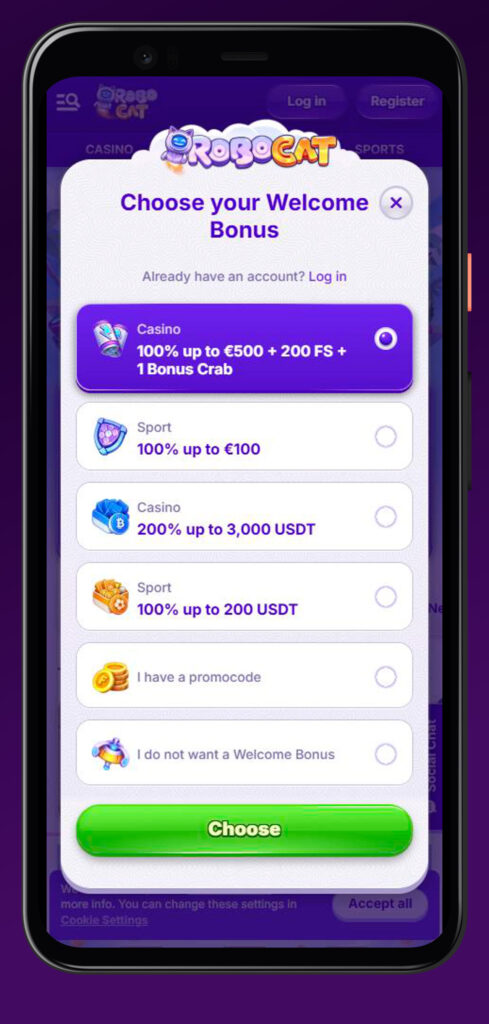
When you are ready to sign up, registration on Robocat Casino is done through the “Register” button in the header on desktop or mobile.
You will need to enter real personal details, since they will be checked later during verification and withdrawals.
Step-by-Step Registration Process
Let’s dig into the basic flow so you know exactly what to expect during signing in to Robocat.
Step-by-step Robocat registration:
- Click “Register” in the top header and open the Robocat signup form.
- Fill in your email, create a password and choose your account currency at Robocat.
- Add personal details like full name, date of birth and address correctly.
- Confirm you are over 18, accept the Terms and submit the form.
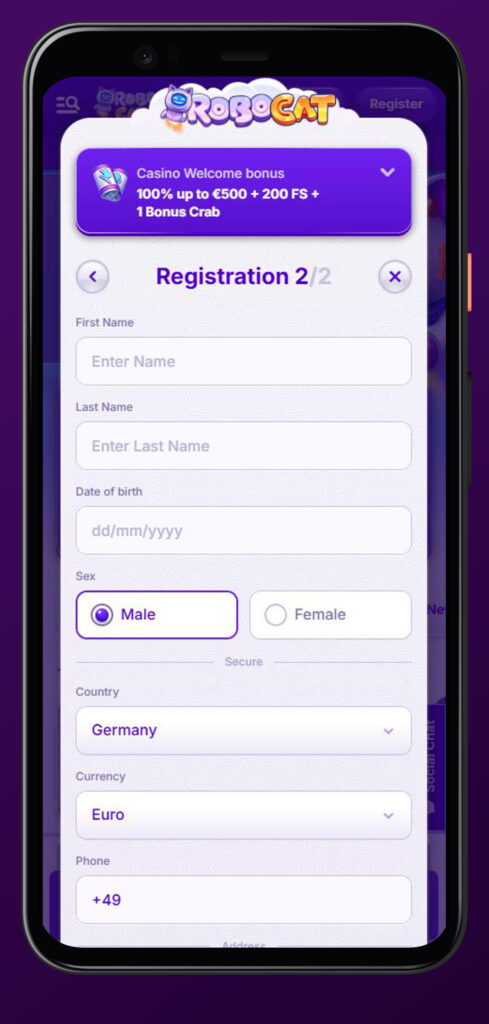
Once the Robocat account is created, you can already log in and explore games, but some features may stay limited until you fully verify.
Account Verification Requirements
Now, because we work with real money, you will need to pass KYC checks to unlock higher limits and smooth withdrawals.
Robocat can request ID, proof of address and proof of payment method ownership at any time, especially before paying out larger sums.
Typical Robocat verification documents:
- Government-issued photo ID like passport or a driving licence.
- Proof of address, such as a recent utility bill or bank statement.
- Screenshots or statements confirming you own the card, wallet or bank used.
You usually get 30 days to send everything after we ask, and we aim to review within around 10 days, although complex cases may take longer.
First Deposit
After your Robocat Casino login and basic registration, the next big step is your first deposit.
All financial operations are processed via our payment gateway and trusted providers like Visa, Mastercard and others listed on the Payments page.
First deposit basics:
- Head to the Cashier/Deposit section once logged in.
- Choose a payment method available in your country and currency.
- Follow the provider’s steps and confirm the transaction, keeping in mind the minimum and maximum limits set by us and the payment system.
Once the deposit lands, your balance updates instantly in most cases and you can start playing or grabbing bonuses.
Login to Your Robocat Account
Now, logging back into Robocat is all about using the same email and password you registered with.
The login button is clearly visible in the Robocat Casino header on both desktop and mobile views.
Desktop Login
On a desktop, you will see “Log in” next to the “Register” button at the top of the site.
Click it, enter your credentials, and you are straight into your account area with access to casino, sports, RoboSlot and promotions.
Robocat Casino desktop login quick steps:
- Open Robocat.com and check the top header.
- Click the “Log in” button to open the Robocat Casino login window.
- Enter your registered email and password, then confirm.
- If requested, complete any additional security checks before access.
If you keep your browser logged in, just be sure nobody else has access to your device, since actions from a correct Robocat login and password are treated as yours.
Mobile Browser Access
On mobile, Robocat keeps the same login flow, just adapted to a smaller screen.
You will find the “Log in” button in the header, and once signed in to Robocat, you can pin the shortcut to your home screen for faster access.
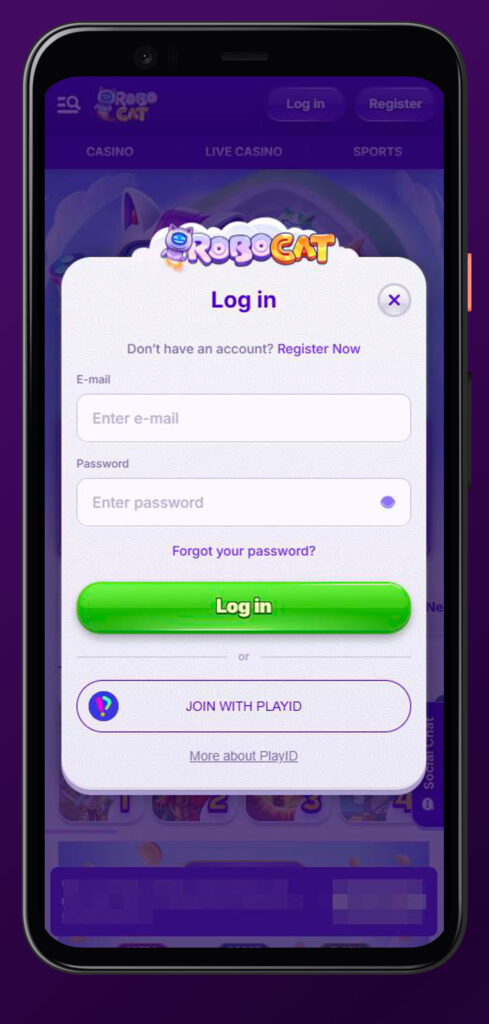
Robocat mobile login essentials:
- Open Robocat in your mobile browser (Chrome, Safari and similar).
- Tap “Log in” in the header and enter your credentials.
- Use “Create Shortcut” from the footer if you want an app-like icon.
- Always log out if you share your device with others.
Everything you see on the desktop, from games to bonuses and the cashier, is available after Robocat mobile login as well.
Troubleshooting Login Issues
Honestly, everyone forgets a password sometimes, so you are not alone if the login fails.
Most issues come down to wrong credentials, account restrictions or unfinished verification checks.
Robocat typical login problems and tips:
- “Wrong password” or “user not found”: double-check email spelling and use the password reset option if needed.
- Account blocked or suspended: this can be linked to security checks, self-exclusion or Terms violations, which support can clarify.
- Robocat verification not completed: we may temporarily restrict access or withdrawals until the requested KYC documents are provided.
If you suspect someone else accessed your account, contact support immediately and change your password as soon as you can log back in.
Claiming Your First Bonus After Registration
Another standout part of joining Robocat Casino is grabbing your first bonuses once you are logged in.
Promotions for casino and sports have their own rules, and you should always check the promo page before opting in.
Activating Welcome Bonus
Welcome offers are usually tied to your first deposit and need either an opt-in click or code entry in the cashier.
The terms define things like minimum deposit, wagering requirements and time limits that apply to that promotion.
Basic welcome bonus activation:
- Go to the Promotions section or follow the banner linked from the main page.
- Read the specific promo rules, including eligible games and wagering.
- Make a qualifying deposit and opt in or enter a bonus code if required.
- Confirm the bonus is visible in your bonus wallet before you start playing.
Keep in mind that trying to withdraw before wagering is complete can lead to bonus and winnings being voided.
Managing Bonuses in Profile
Now, once you have more than one offer, you will want to see which bonus is active, how much is left to wager and what is pending.
Your account area shows bonus balances, wagering progress and any expiry dates.
How to handle bonuses in your profile:
- Check which bonus is currently active and what balance is real money versus bonus.
- Track the remaining wagering, which must be completed in 10 days for casino promos and 30 days for sports.
- Respect limits like 40x wagering for no-deposit bonuses, plus maximum withdrawal caps such as x5 the bonus amount.
If a bonus is not used within its time limit, the bonus funds and any related winnings can be removed automatically.
Account Security and Password Management
Here’s the bottom line: keeping your Robocat Casino login safe is partly on us and partly on you.
We protect traffic through encrypted connections, and you must keep your username and password private and up to date.
Key security points:
- You are fully responsible for all actions performed with your login and password, so never share them with anyone.
- Using another person’s account or letting others use yours is strictly forbidden and can lead to closure.
- Robocat may run additional security checks, including phone calls or other verification methods, if something looks unusual.
If you ever think your password has been compromised, change it immediately and reach out to support so we can review account activity.

FAQ
Yes, you must be at least 18 and legally allowed to gamble in your jurisdiction, otherwise you are not permitted to open an account or use the site.
No, only one account per person, household, phone, email and IP is allowed, and any duplicate accounts can be closed with winnings voided.
Verification is required to confirm your identity, age and payment ownership, and we can withhold withdrawals or suspend accounts until KYC is complete.
You can use the password reset option on the login page, and after confirming via your registered email, you will be able to set a new password.
You can request account closure by contacting support, but the balance must be zero, or you risk forfeiting remaining funds according to the Terms.